
Bulk Uploads
Upload multiple YouTube videos and Shorts without repeating the same process.
LazyTube helps creators upload multiple videos to YouTube with less repetitive work. Manage your upload settings, thumbnails and videos from one simple workflow.
Supports both long-form videos and YouTube Shorts.
LazyTube gives you the tools to manage bulk uploads easily, so you can focus on creating content instead of repeating the same steps.
Upload multiple YouTube videos and Shorts without repeating the same process.
Save your YouTube upload settings and reuse them whenever you upload.
Add custom thumbnails to your long-form videos. Custom thumbnail uploads for Shorts are not currently supported.
Configure your upload settings before starting your queue.
A simple process from start to finish.
Supports long-form YouTube videos and Shorts. Custom thumbnail uploads for Shorts are not currently supported.
Connect your YouTube channel.
Choose the folder containing your videos or Shorts and optional thumbnails (custom thumbnails apply to long-form videos).
Set your preferences and click RUN. LazyTube handles the upload queue.
Designed to be easy to use, with everything you need in one place.
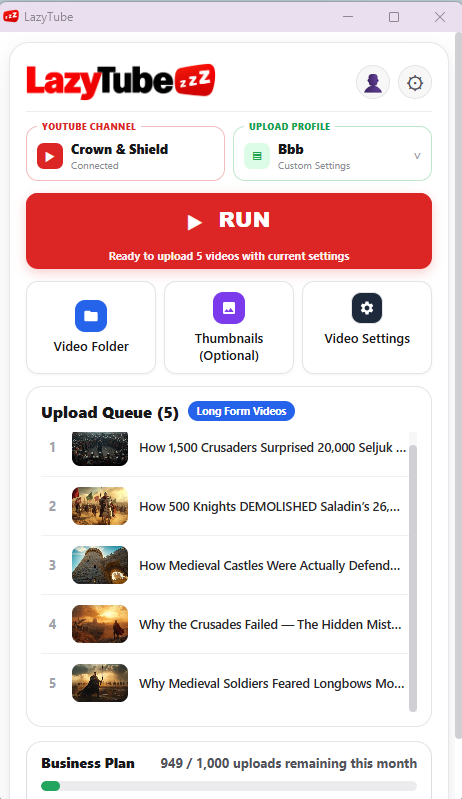
Main Interface
Pick your channel, profile and folders, then press RUN.
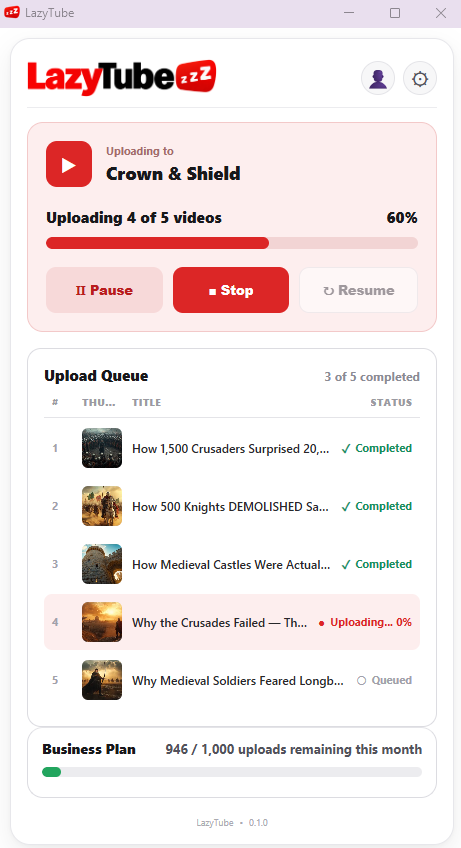
Upload Queue
Manage your YouTube video and Shorts uploads in one place.
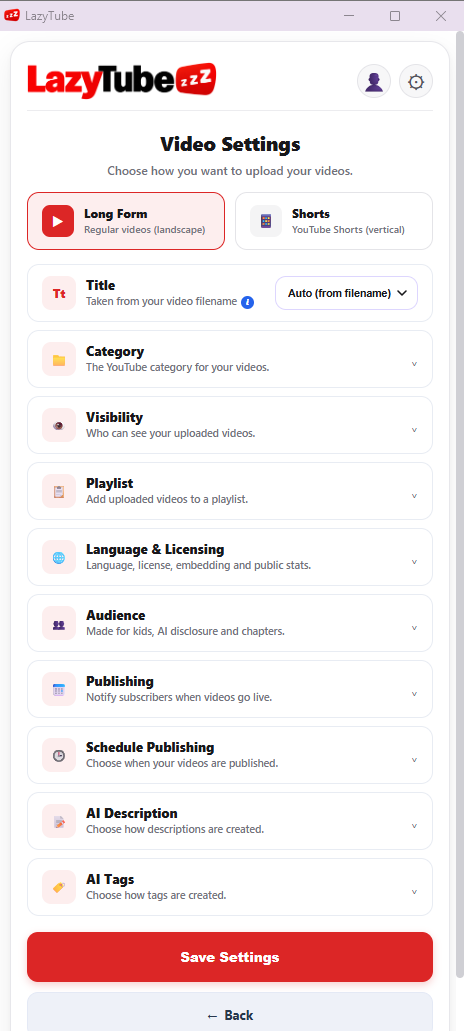
Video Settings
Configure your upload settings before starting.
LazyTube is a YouTube upload automation tool that helps creators save time by uploading multiple videos and Shorts in batches. Manage upload profiles, metadata, thumbnails for long-form videos, and publishing settings from one convenient extension.
Yes. You need a Google account with a YouTube channel. You'll connect your channel through Google's official authorization process and grant LazyTube the permissions needed to upload videos on your behalf.
Yes. LazyTube supports uploading both Shorts and long-form videos. You can use your upload workflow and supported publishing settings for both formats. Some features differ by format; for example, custom thumbnail uploads are currently supported for long-form videos, not Shorts.
No. Your video and thumbnail files are selected from your local computer and are not stored on LazyTube's backend. LazyTube does process account information, upload settings, and related information needed to operate the service. See our Privacy Policy for details.
Visit our Account & Data Deletion page and submit a deletion request. The request is reviewed and processed according to our deletion procedures. Deleting your LazyTube account is separate from deleting your YouTube channel or videos, and you should check your subscription status when requesting deletion.